
.jpg)
Ever opened a document at work and thought, Wait, is this even the latest version?
It happens more often than people admit. One team is following an old process. Another has already updated it. And somewhere in between, mistakes start showing up. Not because people don’t know their job, but because they’re not working from the same information.
That’s exactly where document control comes in.
According to the International Organization for Standardization, document control is a core part of any quality management system. It requires businesses to properly create, update, manage, and control documents so that accurate information is always available where it’s needed.
It also ensures your processes stay consistent, traceable, and reliable, forming the backbone of ISO 9001 compliance in 2026.
Getting ISO 9001 certification isn’t just about storing files neatly.
It’s about making sure the right people are using the right document at the right time. Because in real work, even a small gap, like an outdated SOP or a missed update, can lead to errors, delays, or rework.
That’s why document control matters. Not for having more documents, but for making sure the ones you have are accurate, accessible, and actually used properly.
And this is where a good ISO 9001 compliance software can quietly make a difference, by keeping everything organized, up to date, and easy for your team to rely on without second-guessing.
And this is where a lot of businesses struggle. Not with creating documents, but with keeping them accurate, accessible, and under control as things change.
In this guide, I’ll break down exactly what ISO 9001 expects when it comes to document control, how to build a simple process that actually works, and a practical checklist you can use right away.
Let’s not overcomplicate this.
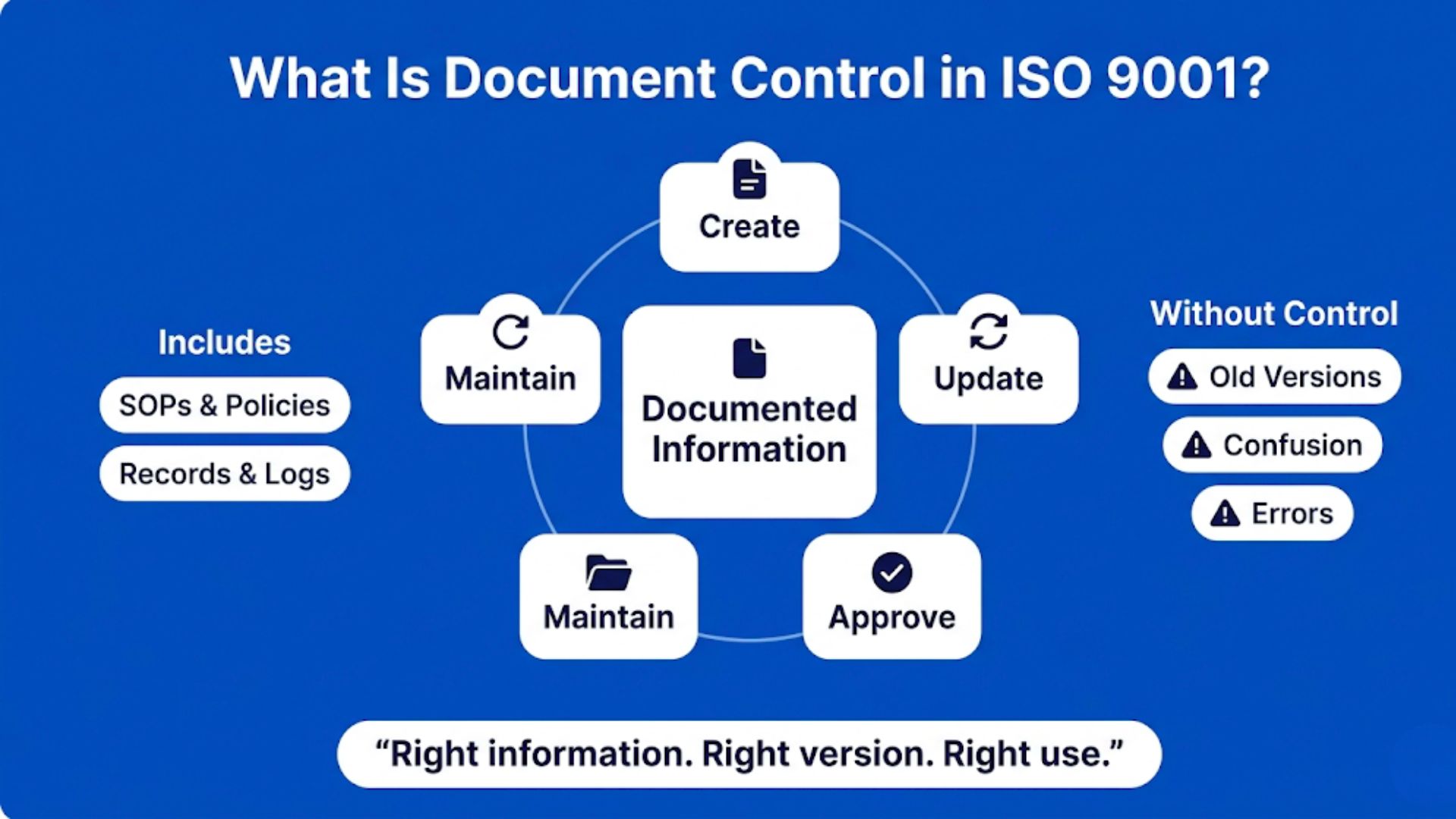
Document control, in ISO 9001 terms, is just about keeping your business information accurate, updated, and easy to use.
ISO doesn’t really use the word “documents” the way most people do. It uses the term “documented information.” That includes both:
So it’s not just about writing things down. It’s about how that information is created, updated, shared, and maintained over time.
If you’ve gone through any practical ISO 9001 compliance guide before, you’ve probably noticed that document control shows up almost everywhere in the process. Not because ISO wants businesses buried in paperwork, but because people need reliable information to do consistent work. When teams are working from outdated SOPs, missing records, or random file versions, things start breaking quietly in the background.
Now here’s where things usually go wrong.
Most businesses already have documents. That’s not the issue.
The problem is no one is fully sure:
And that’s when small mistakes start creeping in.
Someone follows an outdated process.
Another team uses a different version.
A small gap turns into a quality issue.
Over time, this leads to bigger problems:
And when it comes to audits it becomes very visible.
If documents aren’t controlled properly, you might struggle to show:
That’s a red flag in ISO 9001 audits.
So document control isn’t about “having more documents.”
It’s about making sure your existing information actually works for you.
When document control is managed properly, one of the biggest benefits of ISO 9001 starts becoming visible in day-to-day operations.
Teams spend less time searching for information, process errors become easier to reduce, and employees can follow the same approved procedures with more consistency.
When it’s done right, things feel a lot simpler.
People know which document to follow.
Updates are clear.
And your processes stay consistent, even as your business grows. This is also where the long-term benefits of ISO 9001 become more practical for businesses. Better document control supports smoother audits, stronger operational consistency, improved accountability, and more reliable quality management across departments without creating unnecessary complexity.
Clause 7.5 sounds technical when you first read it but in reality, it’s just setting some basic rules.
Nothing fancy. Just making sure your documents don’t turn into chaos over time.
Let’s break it down in a way that actually makes sense.
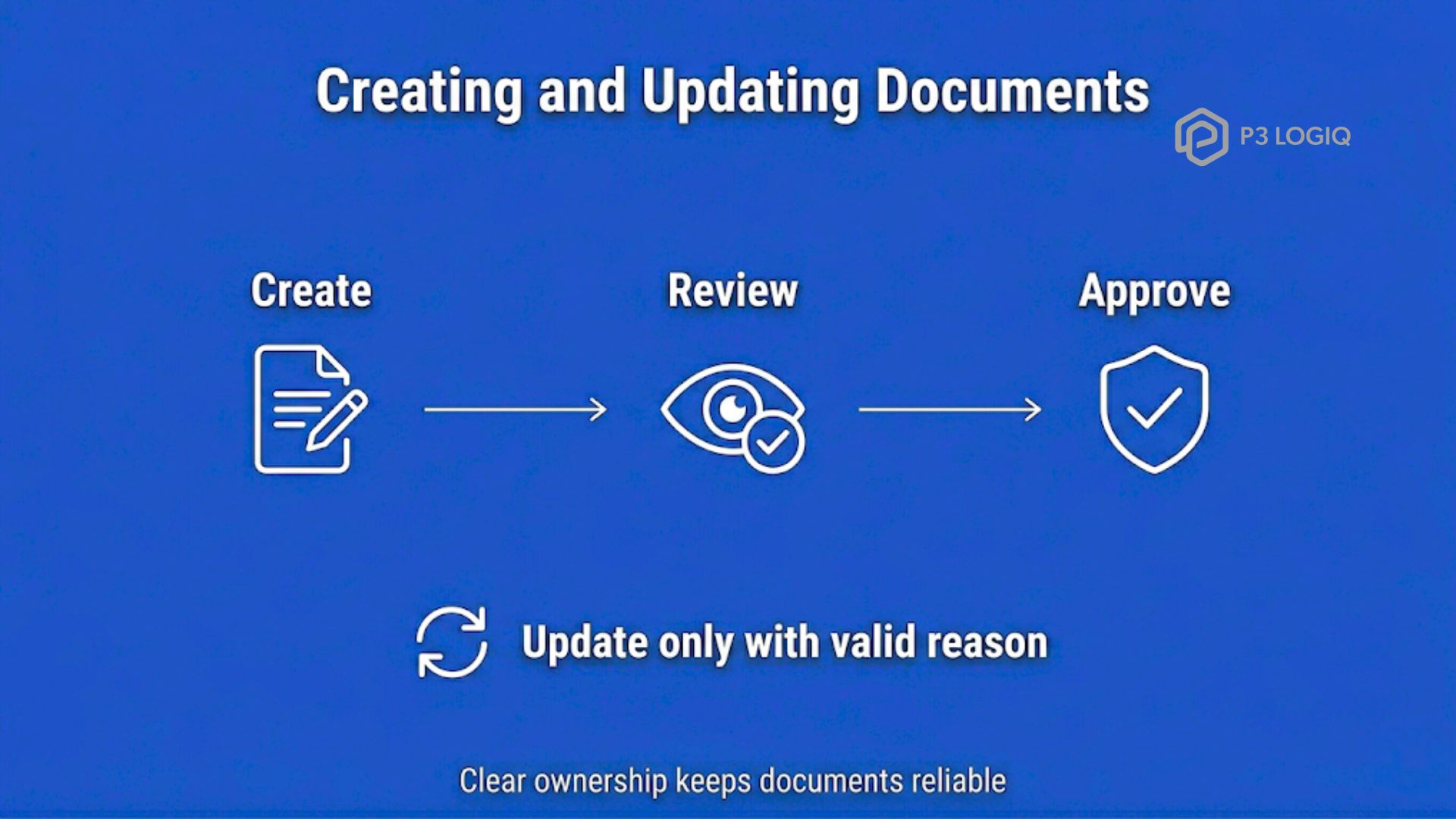
Every document in your system should start with a bit of clarity.
Who created it?
Who reviewed it?
Who approved it?
That’s it.
You don’t need layers of approvals, but you do need clear ownership. Otherwise, documents keep changing without anyone really knowing who’s responsible.
This is actually one of the reasons ISO 9001 for small businesses feels more manageable than many people expect. The standard is not asking a 10-person team to build corporate-style bureaucracy. It’s simply asking businesses to make sure the right people are working from the right information. Even something as basic as knowing who updated an SOP last month can save hours of confusion later.
And when something gets updated, it shouldn’t be random.
There should be a reason. A change in process, a fix to an issue, an improvement. Something real.

This is where ISO basically says, don’t let your documents float around uncontrolled.
You should know:
Because if everyone can change everything, things get messy fast.
Control doesn’t mean restriction. It just means having structure so information stays reliable.
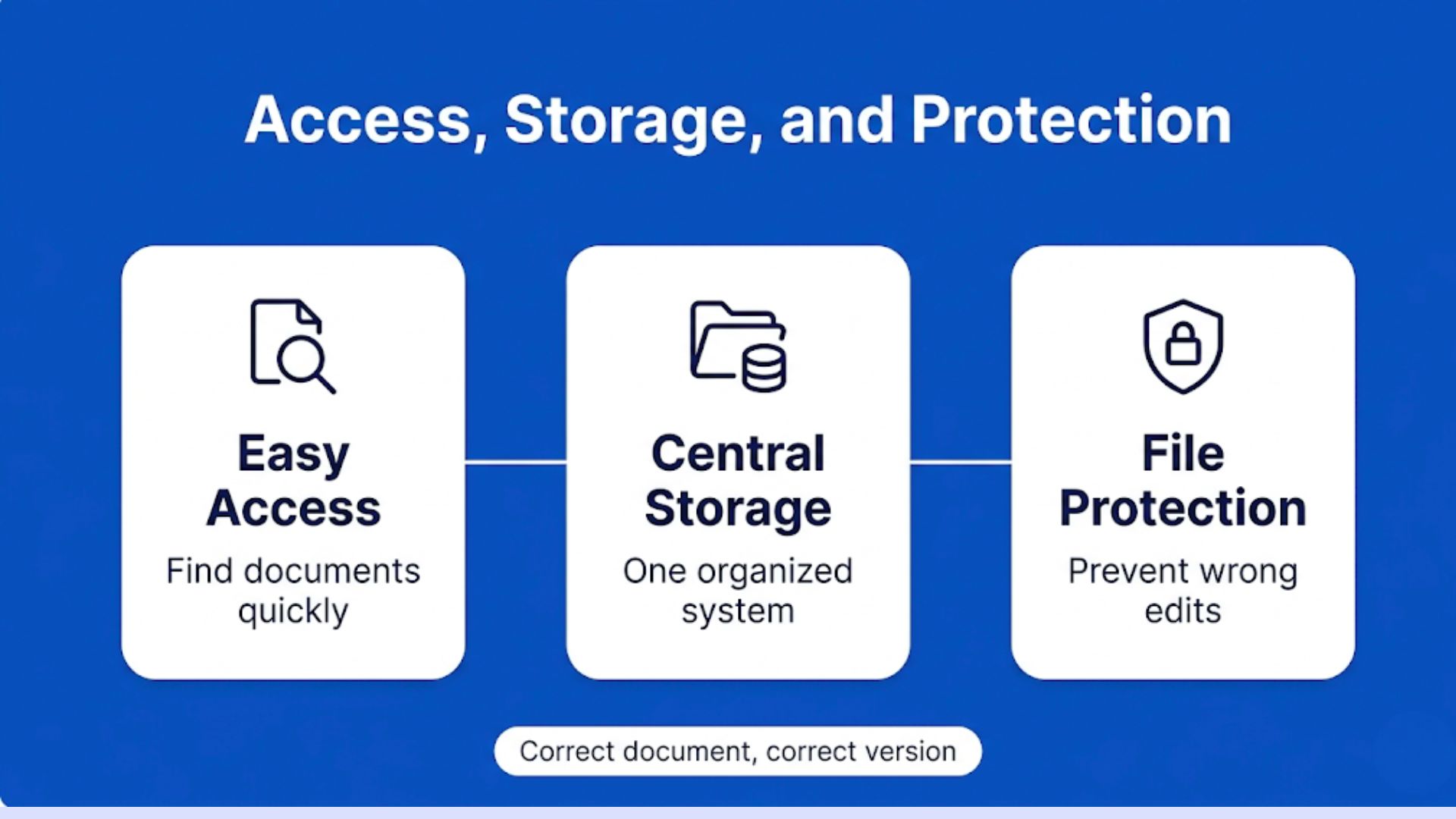
Now think about this from a day-to-day point of view.
Can your team easily find the documents they need?
Or are they digging through folders, emails, or old files trying to figure out what’s current?
Good document control means:
Because losing a document or using the wrong one creates the same kind of problem.
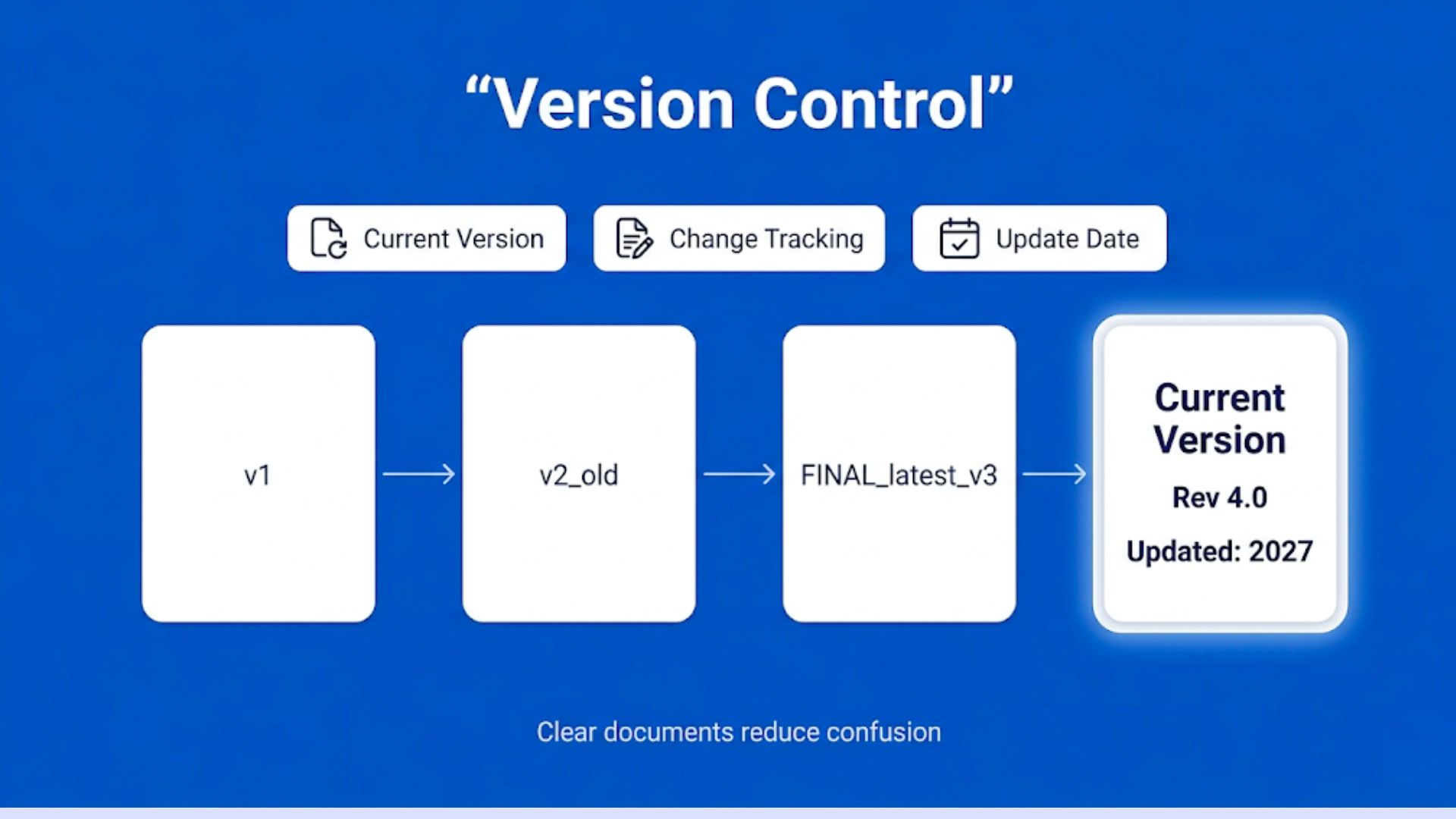
This is the one that causes the most trouble.
You’ve probably seen it before:
“final_v2_latest_updated_FINAL.pdf”
That’s not version control, that’s confusion.
ISO expects you to have a simple way to track:
It doesn’t have to be complicated.
Even a basic version number and date can solve most of the problem.
A lot of businesses start realizing this while preparing for ISO 9001:2026 Certification style checklists and implementation discussions online. At first, version control sounds like a technical compliance requirement. But in reality, it’s usually about preventing everyday operational mistakes. Teams waste more time searching for the correct file, rechecking outdated instructions, or fixing avoidable errors than they do maintaining documents properly in the first place.
When you look at Clause 7.5 like this, it’s not about adding extra work.
It’s about removing confusion.
Because once your documents are clear, controlled, and up to date, everything else starts running a lot smoother.
This is where a lot of people get stuck.
They read “documented information” and think Okay, but what exactly does that include for me?
The short answer is more than you think, but not everything.
You don’t need to control every single file in your business. Just the ones that actually affect how your work gets done and how quality is maintained.
Let’s make this real.
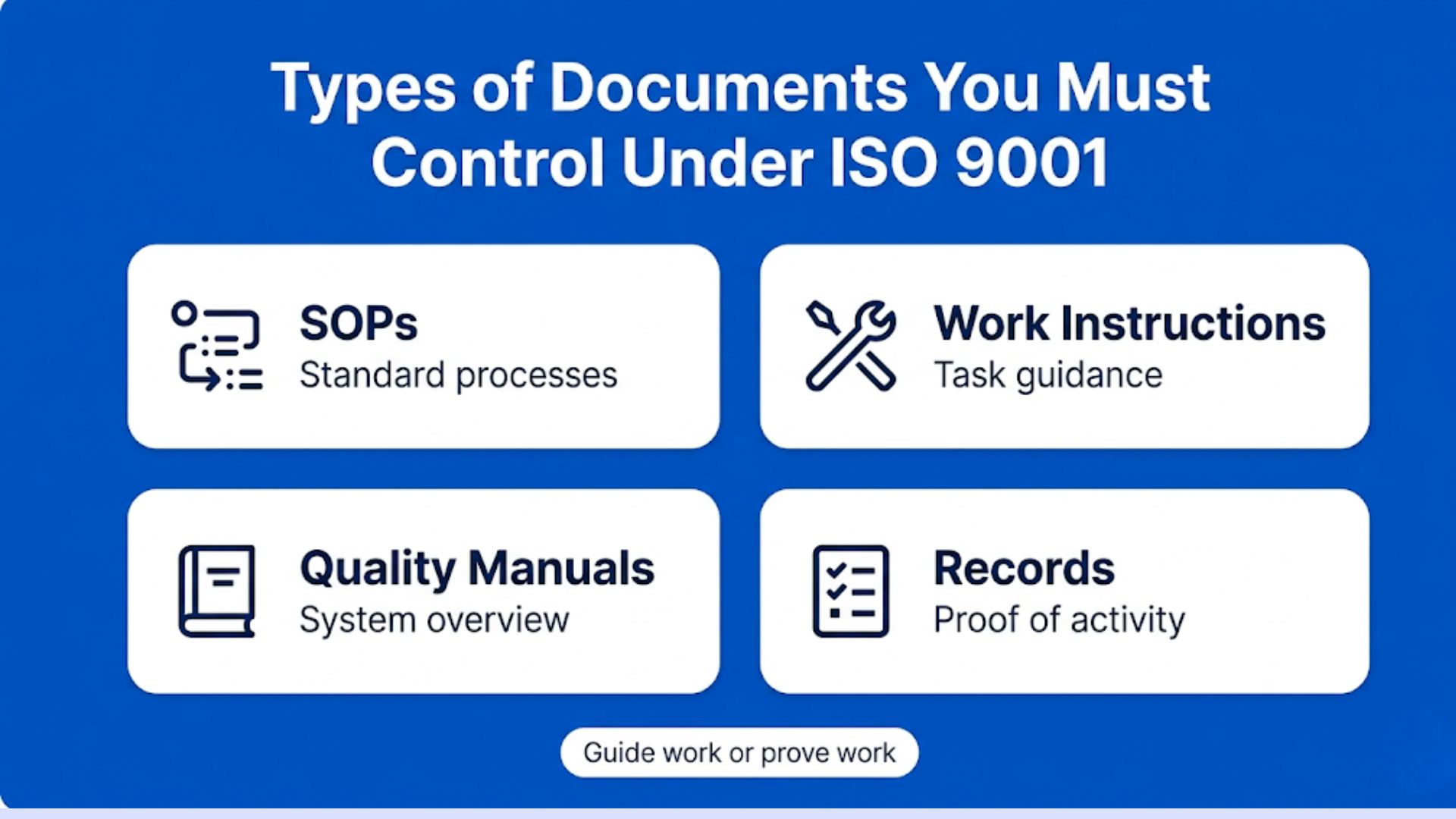
These are your step-by-step processes.
Anything your team follows regularly, onboarding, production steps, customer handling, internal workflows, usually sits here.
If an SOP is outdated or unclear, people start doing things their own way. That’s when inconsistencies show up.
So yes, these are critical to control.
These go one level deeper than SOPs.
Think of them as detailed guidance for specific tasks.
Like how to operate a machine, how to fill out a form, or how to perform a specific check.
If SOPs are the “what,” work instructions are the “how.”
And because they’re so specific, even small mistakes or outdated steps can create real issues. This becomes especially important when implementing ISO 9001 for small businesses, where teams often handle multiple responsibilities at the same time.
Clear work instructions help reduce confusion, maintain consistency, and make it easier for employees to follow the correct process without relying entirely on verbal guidance or individual experience.
Not every company maintains a formal quality manual anymore, but if you do, it becomes a high-level reference for how your quality management system works.
It usually outlines your policies, scope, and overall approach.
Since it connects everything together, it needs to stay aligned with what’s actually happening in your business.
This is the part people often overlook.
Records are not instructions. They’re proof of what has already happened.
Examples include:
These matter because during audits, this is what shows whether your system is actually working.
If records are missing, incomplete, or inconsistent, it raises questions.
You don’t need to blindly create or control all of these.
A simpler way to think about it is:
If the answer is yes, it should be controlled.
Everything else can stay flexible.
Because the goal isn’t to build more documentation.
It’s to make sure the right information is reliable when it’s needed.
Alright, this is where things move from “understanding” to actually doing.
Up until now, everything sounds clear in theory. But this is the point where most teams either simplify things, or accidentally overcomplicate them.
You don’t need a heavy or complicated document management system to get started.
What you really need is a clear, repeatable flow that everyone understands and follows the same way. Because even a simple system works well when it’s consistent… and even the best tools fail when people use them differently.
This is also where a lot of businesses get intimidated by ISO 9001 clauses. People hear the word “clauses” and immediately imagine a giant stack of technical rules waiting to destroy their week.
But most of the time, the clauses are simply trying to answer practical questions like:
“Do people know which document to use?”
“Can you track updates?”
“Is everyone following the same process?”
That’s really it. No one from ISO is expecting your folder names to look like NASA mission files. They just want your system to make sense to the people actually using it every day.
Let’s walk through it step by step.
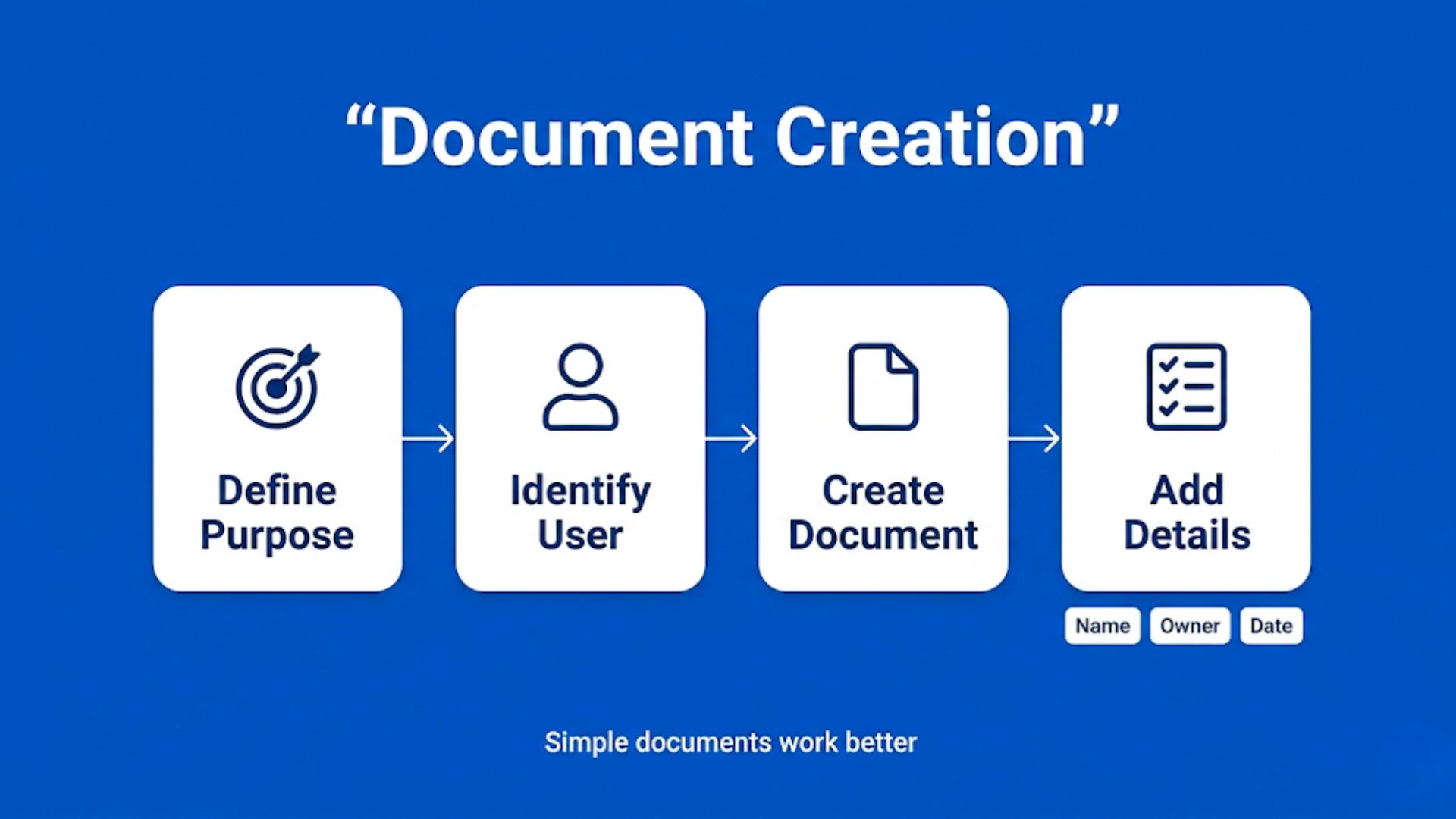
Why does this exist?
Who is going to use it?
Once that’s clear, create the document in a simple, usable format. Don’t overdo it. If people can’t understand it quickly, they won’t follow it anyway.
Also, assign basic details:
That alone removes a lot of confusion later.

Before anything gets used, someone needs to check it.
Not a long approval chain, just the right person.
Usually, that’s someone who:
Once reviewed, it should be formally approved so everyone knows, This is the version to follow.
Now lock this in properly.
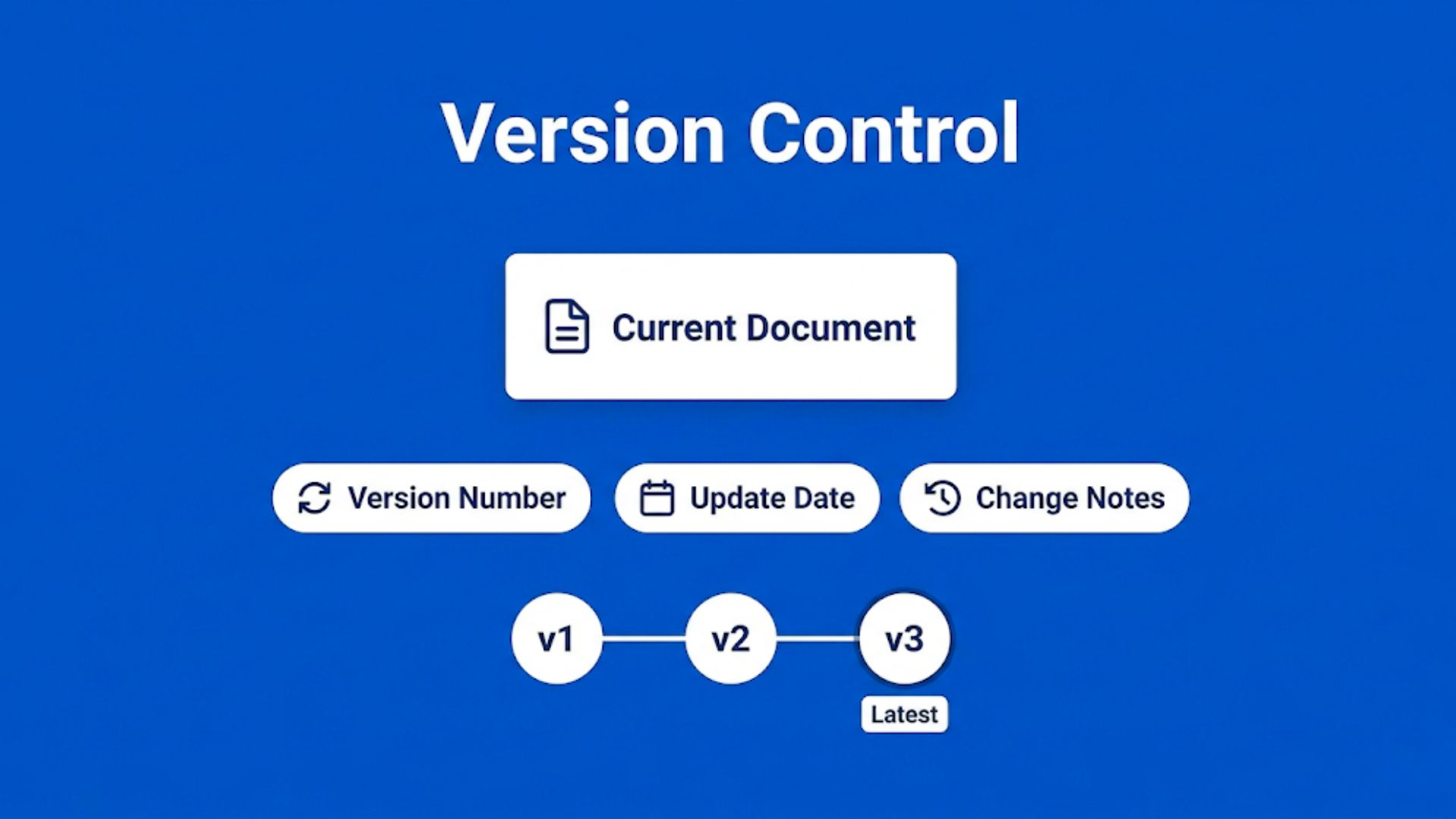
Every document should have:
This doesn’t have to be complicated.
The goal is simple: if someone opens a document, they should instantly know if it’s the latest version or not.
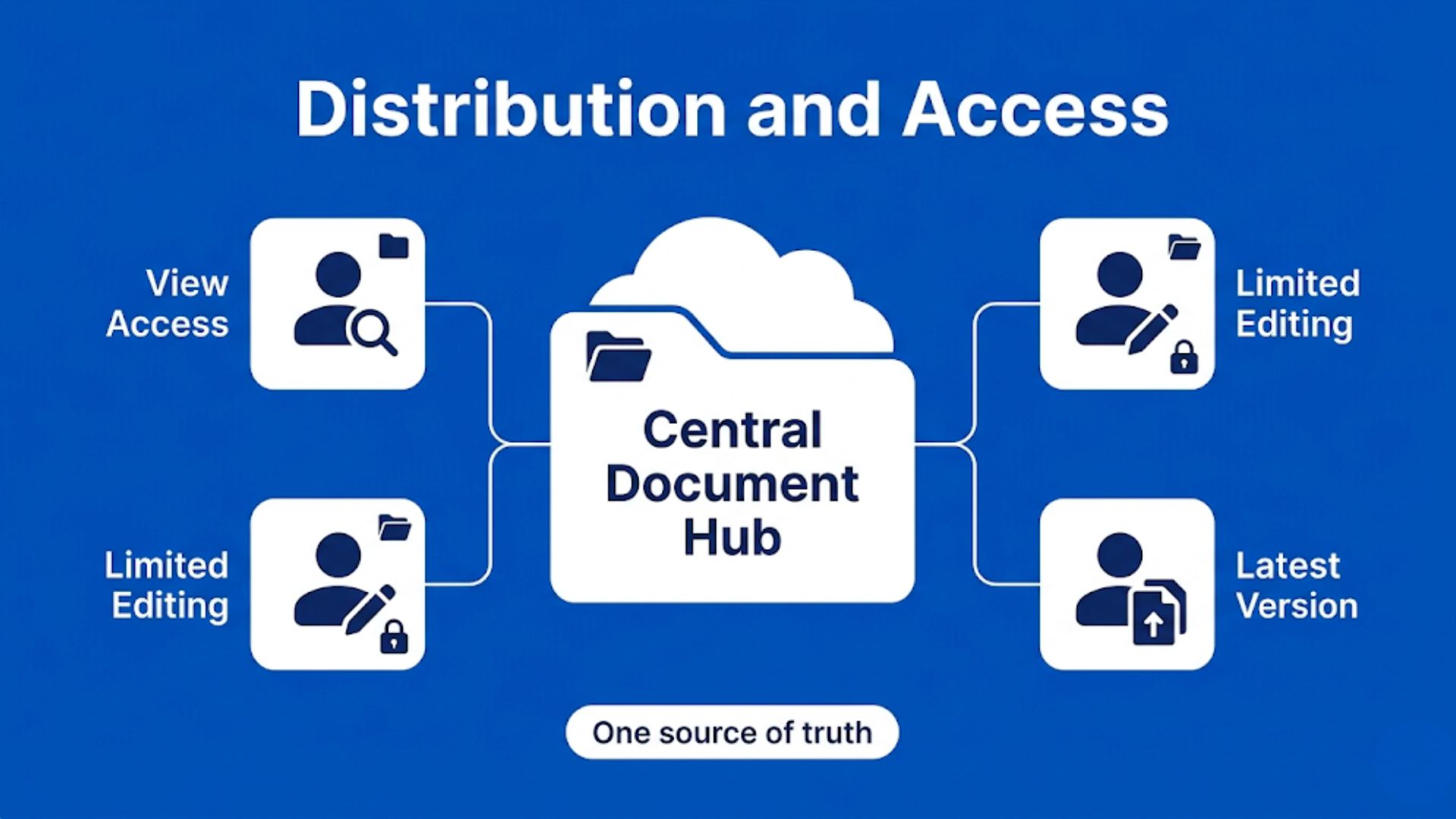
Next question, how does your team actually get this document?
If it’s sitting in someone’s laptop or buried in emails, it’s not controlled.
Store it in a central location where:
Everyone should know exactly where to find the latest version. No guessing.
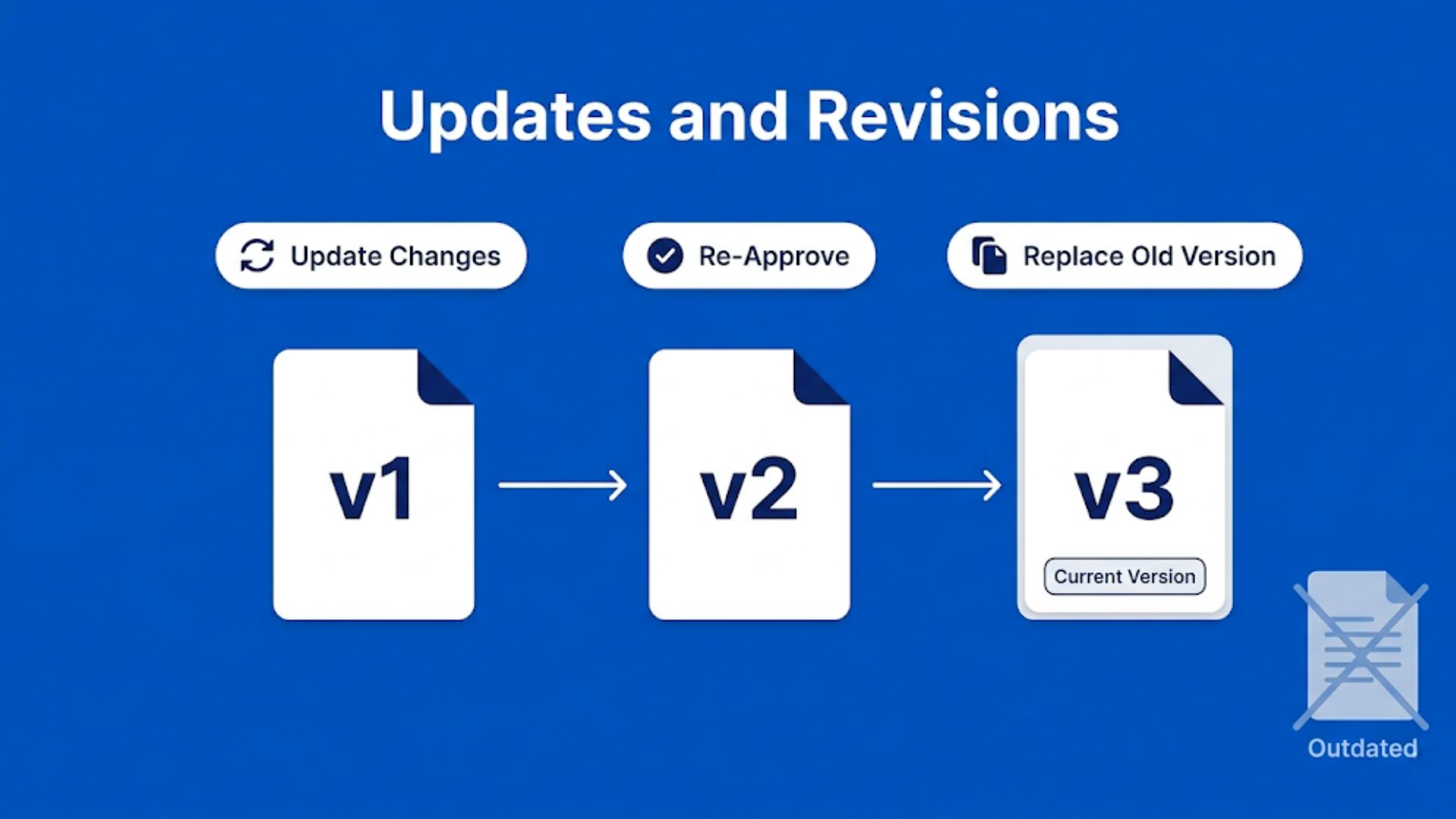
Processes change. That’s normal.But updates should be controlled, not random.
Whenever a document is revised:
And most importantly, make sure the updated version replaces the old one everywhere.
Half-updated systems create more problems than outdated ones.
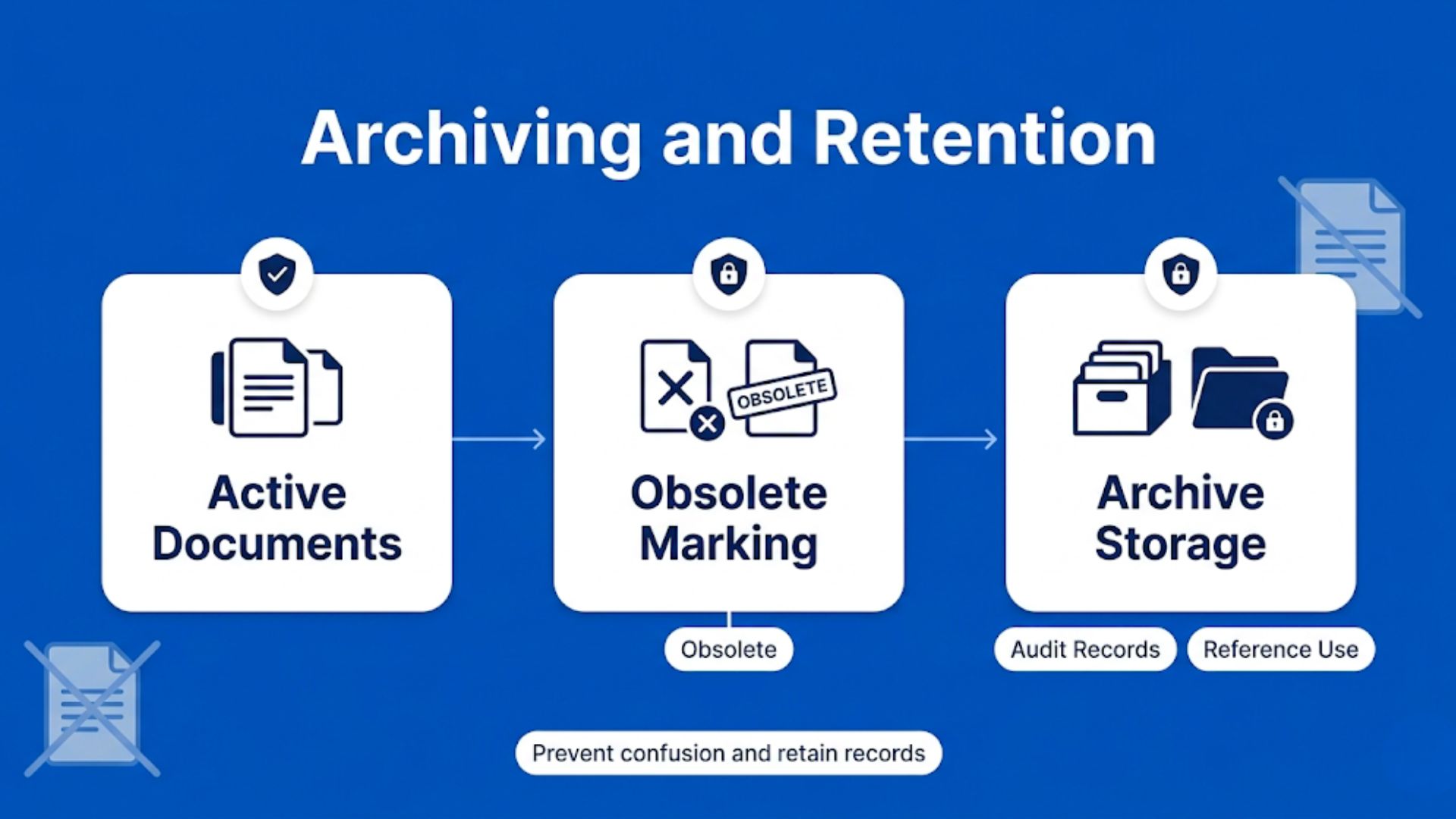
Old documents don’t just disappear.
They need to be handled properly.
Instead of deleting them, move them to an archive:
This helps in two ways:
A lot of teams actually discover this while going through an ISO 9001 checklist and requirements review for the first time. On paper, archiving old documents can sound like one more administrative task. But in real day-to-day operations, it prevents the kind of small mistakes that quietly create bigger problems later. Someone opens an outdated SOP, follows an old process, and suddenly the entire team is trying to figure out where things went sideways.
If you follow this flow, things start to feel a lot more under control.
No confusion about versions.
No digging for documents.
No “I thought we were using the other file.”
Just a simple system that actually works.
If you want to put this entire flow into practice without managing everything manually, P3 LogiQ acts as a complete ISO document control system that keeps your documents structured, updated, and easy to access.
From creation and approvals to version control and archiving, it helps you manage every step in one place so your team always works with the right information.
Book a free demo call or sign up to see how P3 LogiQ simplifies your document management process in real scenarios.
It gives you a clear, practical view of how your documentation can become more consistent, audit-ready, and much smoother to handle throughout your ISO 9001 certification journey.
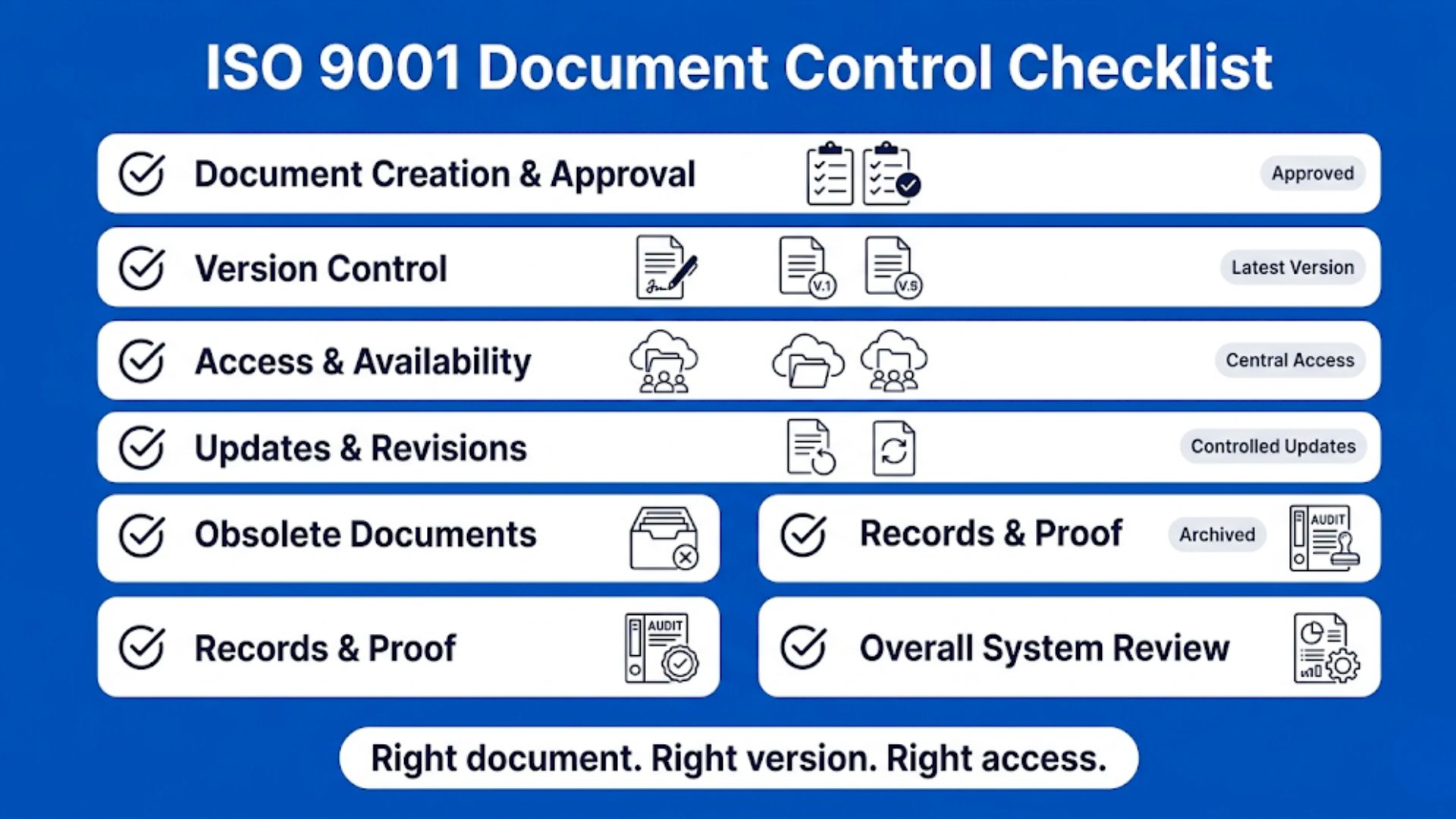
Let’s turn this into something you can actually read through not just tick boxes.
Start with how your documents are created and approved. Every document in your system should go through a basic check before people start using it, something that can be aligned with an ISO 9001 checklist to keep things consistent.
You should be able to tell who created it, who reviewed it, and who approved it. If that part feels unclear or informal, there’s a chance documents are being used before they’re fully ready, which is exactly what a well-defined ISO 9001 checklist helps you avoid.
Look at how you manage versions of your documents. When someone opens a file, it should be immediately clear whether it’s the latest version or not. Simple version numbers, dates, and a short note on what changed can make a big difference. If people have to ask around or guess, your version control isn’t strong enough.
Think about how easily your team can access documents. No one should be digging through emails or random folders to find what they need. There should be one central place where all current documents are stored. At the same time, access should be controlled so only the right people can make changes.
Focus on how updates are handled. Whenever a document is revised, the new version should be clearly updated, shared, and replaced everywhere. If old and new versions exist side by side, confusion is almost guaranteed. A clear update process keeps everyone aligned.
Pay attention to how you handle outdated documents. Old versions should not remain in active use. They need to be clearly marked as obsolete and moved to a separate location. This helps avoid accidental usage while still keeping records for future reference.
Look at how you manage records like reports, logs, and audit data. These are not just documents, they are proof that your processes are being followed. They should be stored properly and be easy to retrieve when needed. Missing or incomplete records can create serious gaps during audits.
Step back and look at the bigger picture. Do you feel confident that everyone in your team is using the correct and latest documents? If someone asks for a file, can you find it quickly without confusion? If not, your system likely needs better structure and clarity.
This becomes especially relevant when teams start evaluating ISO 9001 certification cost, because a poorly managed document system often ends up increasing both effort and indirect expenses during implementation. It’s not just about having documents in place, but about how easily they can be accessed, updated, and controlled across the organization.
When version control is unclear or information is scattered, teams usually spend more time fixing internal gaps before even reaching the certification stage. A structured system, on the other hand, keeps things simpler and more predictable throughout the process.
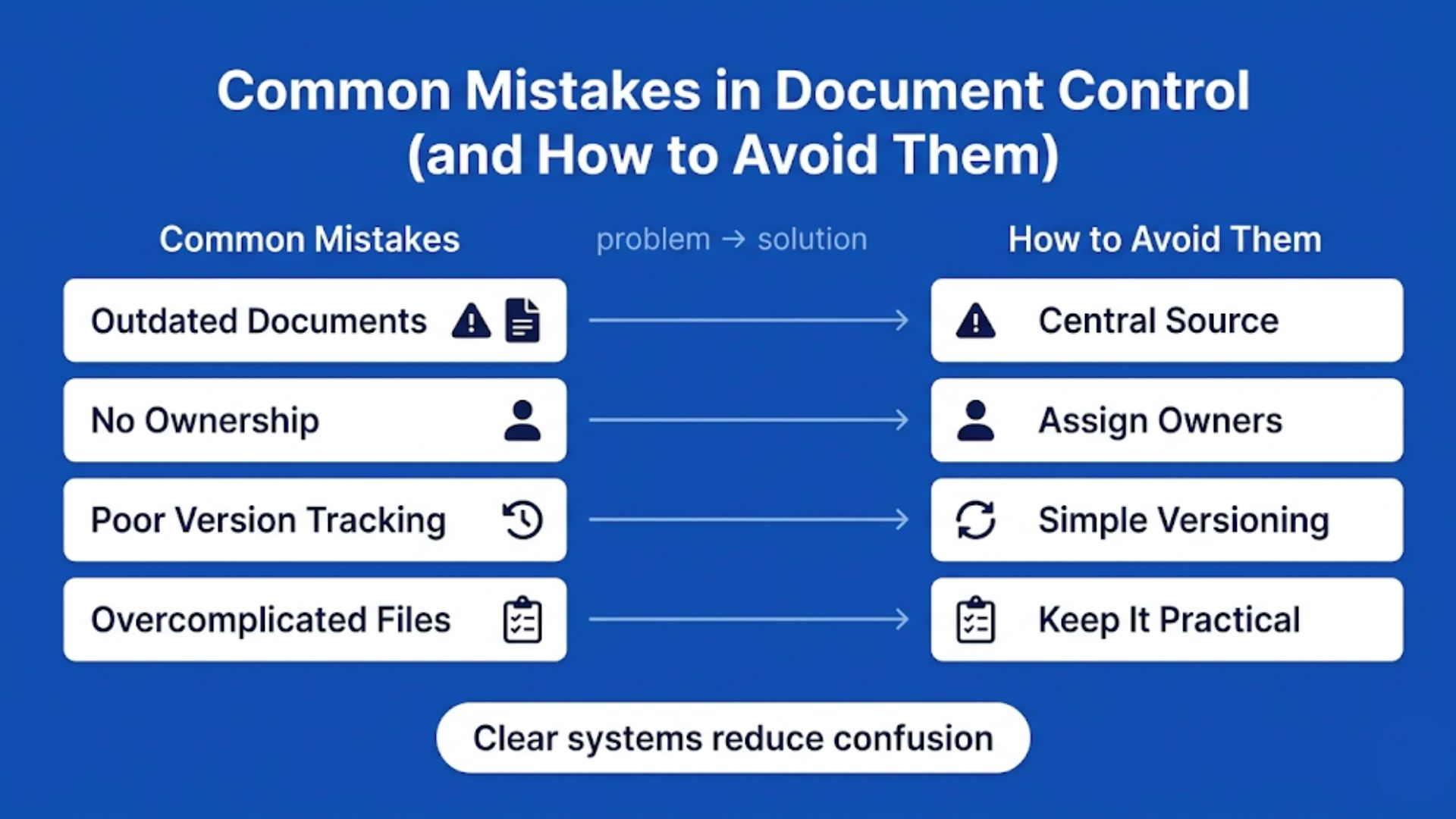
This is where things usually fall apart. Not because people don’t understand document control, but because small habits slowly turn into bigger problems.
Let’s look at the ones that show up the most.
This one’s more common than anyone likes to admit.
Someone downloads a file once, keeps using it, and doesn’t realize a newer version exists.
Now two people are following two different processes.
That’s how inconsistencies start.
Keep one single source of truth. A central place where the latest document always lives. And make it clear that downloaded or local copies shouldn’t be used.
Sometimes documents exist, but no one really “owns” them.
So when something needs to be updated, everyone assumes someone else will do it.
And nothing gets updated.
Over time, documents slowly become outdated without anyone noticing.
How to avoid it:
Assign an owner to every document. Just one person who is responsible for keeping it accurate. It doesn’t have to be complicated, just clear.
You’ve probably seen files named like this:
“process_final_v3_latest_new_FINAL.pdf”
That’s not version control, that’s guesswork.
When version tracking isn’t clear, people hesitate.
They double-check. They ask around. Or worse, They just use whatever they find.
How to avoid it:
Use a simple versioning system.
v1, v2, v3, along with a date and a short note on changes.
Clarity beats complexity here.
This one’s subtle.
In an effort to “follow ISO properly,” some teams create documents that are too long, too detailed, or too formal.
And then, no one actually uses them.
Because they’re hard to read. Hard to follow. Hard to apply.
How to avoid it:
Keep documents practical.
If your team can’t quickly understand and use it, it’s not doing its job.
ISO doesn’t ask for complicated documents. It asks for useful ones.
Most of these mistakes don’t happen overnight.
They build slowly and then suddenly everything feels confusing.
The fix isn’t adding more control.
It’s making things simpler, clearer, and easier to follow.
By now, you know document control isn’t just about managing files, It's about keeping everything accurate, updated, and easy to use. But when it’s handled manually, things can get confusing pretty quickly.
This is where P3 LogiQ fits in.

It brings your documents, approvals, version tracking, and audit readiness into one place, so everything stays clear and structured. No chasing files. No second-guessing versions. Just a system that supports how your work actually happens.
If you want to explore how this could work for your setup, you can book a free demo call or sign up with P3 LogiQ and see how a more structured, smoother approach to document control actually looks in practice.
Document control in ISO 9001 is about how you manage the creation, updating, approval, and distribution of documents within your quality management system. It ensures that information is accurate, consistent, and easy to access when needed.
As defined in ISO 9001:2015 Clause 7.5, it focuses on controlling documented information so teams don’t rely on outdated or incorrect versions during daily operations.
ISO 9001 requires you to properly identify, review, and approve documents before use. It also expects you to maintain version control so changes are tracked clearly over time.
You also need to ensure documents are stored securely, accessible to the right people, and protected from loss or misuse, keeping everything reliable and audit-ready.
A document control procedure is a step-by-step system that defines how documents move through your organization. It covers how documents are created, reviewed, approved, and updated.
It also includes how they are shared, stored, and eventually archived, ensuring every team follows the same consistent process without confusion.
Document control plays a key role during audits because it shows how well your processes are managed. Without it, it becomes difficult to prove compliance or maintain consistency.
It also reduces errors in daily work by ensuring employees always use the latest and approved information, which directly improves quality outcomes.
A good checklist includes document approval status, version numbers, revision history, and access permissions. It helps you quickly verify whether your documents meet ISO requirements.
It should also cover storage methods, review timelines, and retention policies, making it easier to stay organized and fully prepared for audits.
ISO 9001 does not define a fixed review frequency for documents. Instead, organizations are expected to review documents whenever there are process changes, compliance updates, operational issues, or improvement opportunities.
Many companies schedule periodic reviews annually or semi-annually to ensure procedures remain accurate, relevant, and aligned with current operations. Regular reviews also help prevent outdated information from being used internally.
Document control focuses on managing active documents such as procedures, manuals, policies, and work instructions that guide daily operations. These documents can be updated and revised when processes change.
Record control deals with evidence of completed activities, such as audit reports, inspection logs, training records, and corrective action reports. Records are usually maintained as proof of compliance and are not meant to be edited frequently.
Yes, many organizations now use digital document control systems or QMS software to manage ISO 9001 documentation more efficiently. Digital systems help automate approvals, revision tracking, access permissions, and document retrieval.
Cloud-based platforms can also improve collaboration across departments and reduce the risk of employees using outdated files. This often makes audit preparation faster and document management more organized.
One common mistake is failing to remove outdated document versions from circulation, which can create confusion and inconsistencies in operations. Poor version tracking and unclear approval responsibilities are also frequent issues.
Another major problem is overcomplicating the documentation system with unnecessary procedures and excessive paperwork. This often makes documents difficult to maintain and harder for employees to follow consistently.
Document control responsibility usually depends on the organization’s structure and quality management system setup. In many companies, the quality manager or document controller oversees the process and ensures compliance requirements are followed.
However, document control is not limited to one person or department. Process owners, department heads, and employees also play a role in reviewing, updating, and using documents correctly within their daily responsibilities.



Businesses need document management systems (DMS) to ensure ISO and R2 compliance, improve efficiency, and stay audit-ready. The article highlights key features like version control, security, and automation while reviewing the top 5 DMS solutions. P3 LogiQ stands out for its compliance-focused automation and secure document tracking
Read More
Recycling businesses gain efficiency, compliance, and sustainability with RIOS certification. It streamlines quality management, environmental responsibility, and worker safety, helping companies avoid legal risks and boost credibility. P3 LogiQ simplifies the certification process with automation, document control, and compliance tracking, making operations smarter and safer.
Read More
Audit Management Software (AMS) automates compliance tracking, streamlines workflows, and reduces audit risks. Key features include automated scheduling, compliance checklists, CAPA tracking, vendor risk management, and integrations.
Read More
Learn how audit management systems simplify ISO and R2 compliance by automating audits, managing documentation, and minimizing compliance risks efficiently.
Read More
In 2025, many businesses still face challenges in compliance management due to outdated methods like spreadsheets and fragmented software. This inefficiency leads to missed deadlines, increased risk, and regulatory penalties. The blog emphasizes the importance of modern compliance tools that automate workflows, enhance risk management, and streamline regulatory processes to meet ISO and R2 standards.
Read More
The rise in e-waste and environmental concerns makes responsible electronics recycling essential. The R2 Certification sets a global standard for safe, sustainable, and data-secure recycling practices. Developed by Sustainable Electronics Recycling International (SERI), R2 helps businesses manage environmental risks, data security, worker safety, and legal compliance.
Read More
Businesses face increasing challenges in managing complex regulatory compliance. Manual methods such as spreadsheets and paperwork can lead to missed deadlines, inefficiencies, and costly penalties. Compliance management software offers a streamlined solution to reduce risks, automate processes, and improve operational efficiency.
Read More
Maintaining R2 Certification is crucial for businesses in the e-waste recycling industry, ensuring regulatory compliance, sustainability, and strong stakeholder trust. This guide outlines 10 best practices to help businesses simplify operations, reduce risks, and stay compliant.
Read More
Unlock the value of ISO risk management certification. Explore its impact on compliance, risk mitigation, and business expansion.
Read More
Explore the top 5 ISO risk management software tools for 2025, including document management solutions for streamlined compliance and increased efficiency.
Read More
Find the ideal document management software (DMS) for your business. Learn how to choose with expert tips, key features, and insightful guidance
Read More
Unlock the power of a Document Management System (DMS). Learn how it can revolutionize your business operations.
Read More










.png)


.png)






.jpg)





.jpg)












.jpg)



.png)

.png)
.png)





.png)

